
How to Migrate from Etsy to Shopify Without Losing SEO: A Listing-by-Listing Recovery Plan
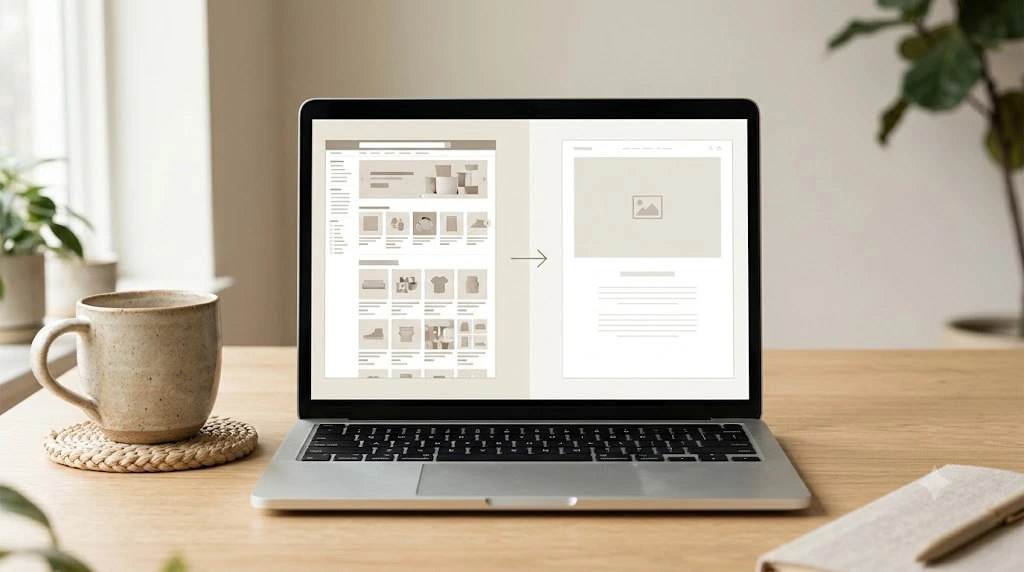
Moving your products to Shopify can take an afternoon. Keeping the shoppers who have already found those products takes a plan.
When you migrate from Etsy to Shopify, your Shopify product pages get their own URLs on your Shopify store’s domain, and their search visibility isn’t automatically guaranteed to carry over. Google has to find them, crawl them and decide where they fit.
Nobody can promise your rankings will hold. What you can do is cut down the losses you could have avoided. This guide gives you a listing-by-listing method: audit what you have, map each listing to a new page, handle the URLs you control, and watch what happens after launch.
What Happens to Etsy SEO When You Migrate from Etsy to Shopify?
Your products move easily. Your search visibility doesn’t. That gap is where most migration problems start.
If you’re still deciding whether Shopify is the right home for your shop, read our guide to choosing an ecommerce platform for a small business first. This article assumes you’ve already made the call. If you sell handmade goods, our guide to ecommerce platforms for handmade items covers that angle too.
Etsy search visibility and Google organic visibility are different.
Etsy search and Google search are two separate systems. A listing can do well inside Etsy and still get little from Google.
Check where your visits really start before you plan anything. Etsy’s stats and your analytics may show traffic sources, though not every seller will see every source in full. What you can rebuild depends on where the visits came from: Etsy search visits come from the marketplace, while Google visits depend on pages. Google can find and index.
If your stats show that almost none of your visits come from Google, you have less to protect than this guide might suggest. Most of that traffic is marketplace traffic, and it stays on Etsy. In that case, treat the steps below as a way to build your Shopify pages’ search visibility from a clean start, and focus on the few listings that do get outside visits.
Why a new Shopify product page may not retain the same visibility
A new page can lose ground for several ordinary reasons:
- The URL is new, so search engines treat it as a different page
- The title, description or images changed during the move
- Links that pointed to the old listing don’t point to the new page
- Google hasn’t crawled or indexed the new page yet
- The replacement page doesn’t match what the old listing offered
What you can preserve
You can protect useful content, accurate product details and link opportunities.
Google’s site move guidance is written for site owners who change their own URLs. Treat it as a solid framework, not as an Etsy-specific promise.
Can You Redirect Etsy Listing URLs to Shopify?
Don’t assume you can. A redirect has to be set up on the server that hosts the old URL, and the Etsy.com listing URLs sit on Etsy’s servers, not yours. Check Etsy’s current options before you count on anything.
What you can do is set up redirects for URLs on domains you own, and ask the sites that link to your Etsy listings to update those links. Step 3 below walks through both.
Step 1: Audit Your Etsy Listings Before You Migrate
Don’t start with the export file. Start by deciding which listings are worth protecting.
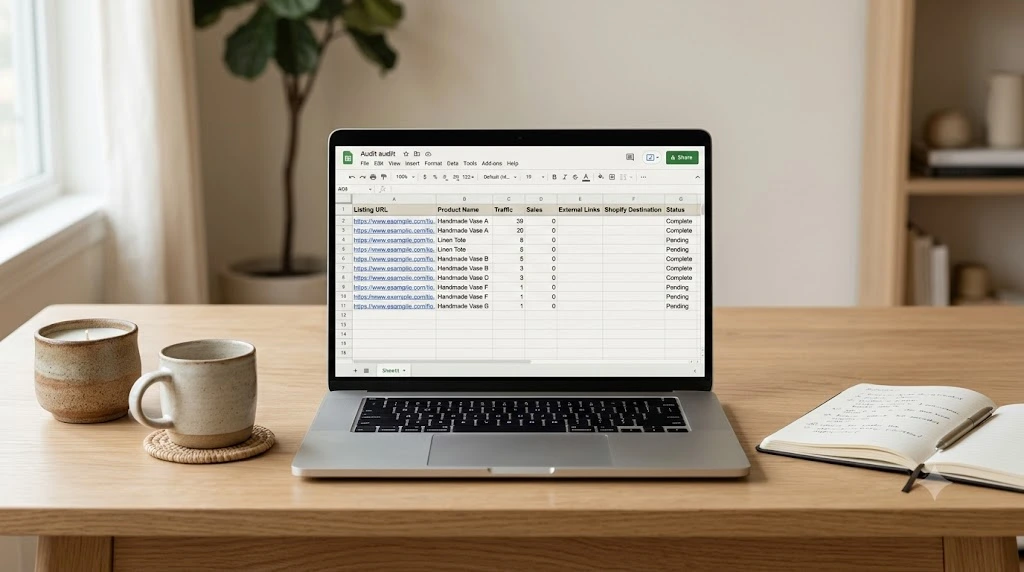
Identify listings worth protecting first.
Look at what the data can tell you:
- Etsy Shop Stats and your analytics: which listings bring visits, and from where
- Sales history: which products actually earn money, including seasonal ones
- Referrals: which listings get links or mentions from other websites
- Search Console: useful only for sites you can verify. You can’t verify Etsy.com there, so Etsy listings will have limited Google data
Record each listing’s existing details.
Build one row per priority listing. A simple sheet is enough:
| Etsy listing URL | Product name | Title and key description points | Traffic or sales data | External links known | Shopify destination | Status |
|---|---|---|---|---|---|---|
| etsy.com/listing/… | Example product | Copy the current title. | Add what you have. | Blog, forum or press mentions | To be decided | Not started |
Also save your images and descriptions. If a listing disappears later, you’ll want the original.
Create a priority list.
Rank listings by what the numbers show: visits, sales and outside links. Don’t invent a scoring formula. A plain “high”, “medium”, or “low” based on real data is more honest and easier to act on.
One practical check: Shopify’s Etsy migration guide notes that the Etsy CSV only includes listings currently available for sale and says you might need to temporarily relist other products, for example, by raising their inventory, to include them. For sold-out or expired listings, Etsy’s own route is renewing them. Etsy charges $0.20 each time you renew a listing, and renewed listings with variations get each option’s quantity reset to 1. Check with Etsy whether any other re-listing method carries a fee, and weigh the cost against each listing’s value. The other option is to record those listings by hand.
Step 2: Map Every Priority Etsy Listing to a Shopify Page
A migration map is a list that says, “This old page becomes this new page.” It takes a little time. It also saves you from guessing later.
Build a one-to-one listing migration map.
| Old Etsy listing | New Shopify destination | Action |
|---|---|---|
| Best-selling product | Matching product page | Review content and destination |
| Discontinued product | Closest genuinely relevant alternative, if one exists | Decide whether a real replacement exists. |
| Product with external links | Most relevant Shopify page | Look into ways to update the links. |
Preserve the useful information shoppers searched for.
Keep the product details, terms and descriptions that helped people find and buy the item. Copy with care, though. If a material, size or variant has changed, update the text so the page matches the product.
Handle discontinued or merged listings carefully.
Don’t send every retired listing to the homepage or to an unrelated collection. That helps nobody. Pick a destination only when there’s a genuinely close match.
Google’s guidance is built around matching each old URL to its new counterpart and treating the move URL by URL. A tidy map follows that logic.
Step 3: Handle Etsy URLs, Shopify URLs and Redirects Correctly
This is the step where most advice goes wrong. Not every old URL is yours to redirect.
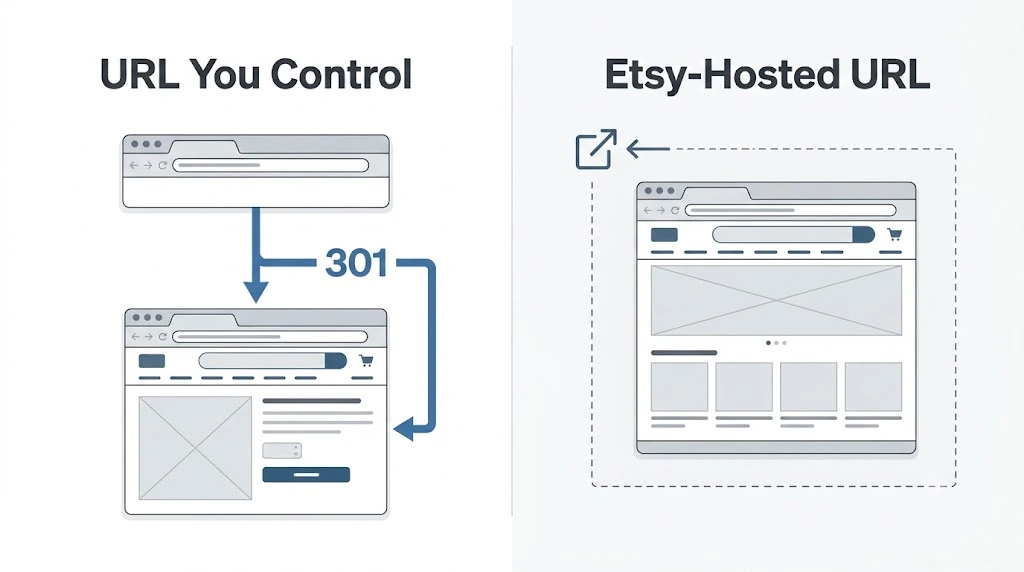
Understand which URLs you control.
Sort your old URLs into two groups:
- URLs on a domain you own, such as an existing blog or website
- URLs hosted on Etsy, such as etsy.com/listing/…
You can set up redirects for the first group. Don’t assume you control redirects for the second.
Set up redirects for URLs you control.
If an old URL belongs to a domain you control, configure the redirect wherever that domain’s URLs are managed. Shopify’s built-in URL redirects tool is for redirects from eligible URLs on your Shopify store. It doesn’t give you control over URLs hosted on a separate domain. Shopify redirects also only work when the old Shopify URL doesn’t load a valid page.
After you set up a redirect, test the old URL and confirm it reaches the most relevant destination.
What to do when the old URL belongs to Etsy
A redirect has to be set up on the server that hosts the old URL. Etsy listing URLs sit on Etsy’s servers, not yours. So don’t assume you can redirect them yourself, and check Etsy’s current options before you count on anything.
Here’s what you can do:
- Keep your Etsy listings live while your Shopify pages get established
- Find websites that link to your important Etsy listings
- Ask the owners to update those links where it makes sense
Test redirects and destination pages
Click through every redirect you create. Check three things: the old URL, the new URL and whether the new page is truly relevant. Avoid redirect chains, where one redirect leads to another.
If a test fails, check whether the old URL still loads a valid page. Shopify’s redirect help says a redirect won’t work in that case.
Step 4: Prepare Shopify Product Pages Before Launch
Check the pages before Google sees them. This is a migration check, not a full Shopify SEO overhaul.
Check titles, descriptions and product information.
Each page should describe the same product the old listing did. Compare the Shopify page against your audit row. Fix anything that no longer matches.
Check images and essential page content.
Shopify’s guide warns that variants may need CSV edits and that some data can fail to import. Open each priority product and confirm that images, variants, prices and descriptions arrived correctly.
Check product URL handles after import.
After the import, open each priority product and look at its URL handle, the last part of the product URL. Keep it short, readable and matched to the product name. Avoid changing handles after launch without a reason, because every change creates a new URL. If you must change one, check that the old URL redirects to the new one, and test it.
Review each page’s search appearance.
Look at the page title and meta description for every priority page. Make sure the page isn’t set to hide from search engines.
Check internal links and canonical URLs.
Links inside your store should point to the new Shopify URLs. Canonical tags should point to the right version of each page. Fix any link that points somewhere old or broken.
One quick check: use Search Console’s URL Inspection on an important product page and compare the canonical you declared with the one Google selected. They can differ, and Google may choose its own, so a matching tag doesn’t guarantee how the page is indexed.
Step 5: Check Indexing and Search Visibility After Launch
Launch day is the start of the monitoring job, not the end.
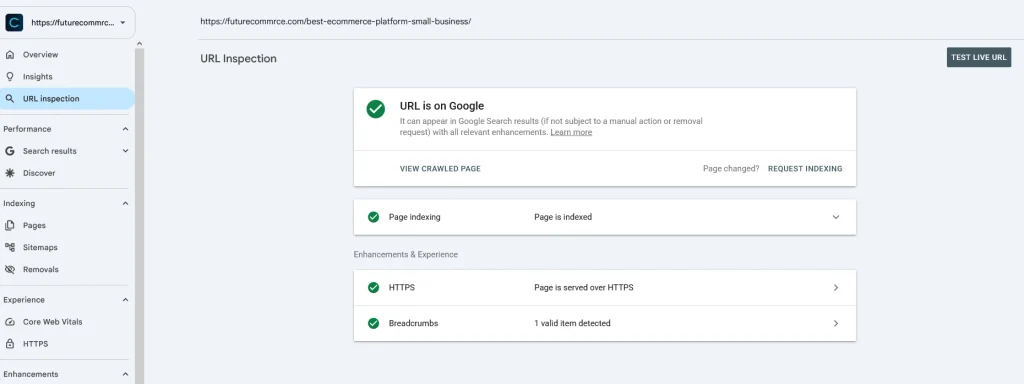
Verify the new site in Google Search Console.
Confirm you have access to your Shopify store’s property. Then inspect your most important product URLs one at a time.
Submit and review the Shopify sitemap
Shopify generates a sitemap for your store. Check that it opens, and that it lists the new pages you expect. Submit it in Search Console.
Monitor priority pages individually
Track each priority page for indexing status, clicks, impressions and search queries. Google’s migration guidance recommends watching traffic on both old and new URLs where you have them. You won’t have Search Console property-level access to Etsy-hosted listing URLs, so compare old and new data wherever you can get it.
Separate normal fluctuations from technical errors
Search visibility can move around while Google recrawls and reprocesses your pages. That alone isn’t a reason to panic. Do look for hard errors: missing pages, wrong destinations, indexing blocks or pages that return errors.
Step 6: Diagnose and Recover Lost Organic Traffic
This is where a listing-by-listing process becomes useful. Work page by page.
Start with the affected listings, not the entire store
Compare before and after for your priority pages only. A store-wide average can hide a handful of problem pages.
Check for the likely cause
| What you see | Likely cause | What to try |
|---|---|---|
| Page missing or showing an error | Replacement page unavailable | Restore or republish the page |
| Page not appearing in Google | Not indexed, or blocked from indexing | Check indexing settings and inspect the URL |
| Page exists but performs poorly | Content doesn’t match the old listing’s product or intent | Update the content to match |
| Visitors land on the wrong page | Redirect points to the wrong place | Correct the destination |
| Traffic from one outside site fell | That site still links to the Etsy listing | Ask the site owner to update the link |
Match the fix to the problem
Fix the cause you actually find. Restore a missing page, correct an indexing setting, improve a mismatched description or repair a redirect. Contact publishers when an important link can be updated.
Allow time for Google to recrawl and reprocess changes
Google works through changes URL by URL, so don’t expect every page to settle on the same day. No one can give you a fixed recovery date.
Etsy-to-Shopify SEO Migration Checklist
Keep this list beside your audit sheet.
- Record priority Etsy listings and any available search data
- Save existing listing URLs and relevant content
- Map each priority listing to a suitable Shopify destination
- Identify external links that may need updating
- Set up and test redirects only where you control the old URL
- Review product content, indexability and canonical signals
- Verify Search Console and inspect important pages
- Submit and review the sitemap
- Monitor clicks, impressions, indexing and page errors after launch
Frequently Asked Questions
Can I migrate from Etsy to Shopify without losing SEO?
Not with a guarantee. An audit, a listing map, tested redirects where you control the old URL and steady monitoring reduce avoidable risks.
Will my Etsy listings keep their Google rankings after migration?
They may change. Your Shopify pages are separate pages on a separate domain, so Google evaluates them on their own.
How do I check whether my new Shopify product pages are indexed?
Paste the URL into Search Console’s URL Inspection tool. The page indexing report shows the wider picture.
Conclusion: Protect Your Most Valuable Listings First
To migrate from Etsy to Shopify well, don’t treat it as a bulk file transfer. Audit your listings, map each one to a real destination, prepare the pages, test what you control and keep watching after launch.
You don’t need to fix everything at once. Start with the listings that bring in the most visits, sales and outside links.
Your next step: before you export a single product, open a blank spreadsheet and list your ten most valuable Etsy listings with their URLs and any traffic data you have. That one sheet is the foundation for every step above.
Sources used